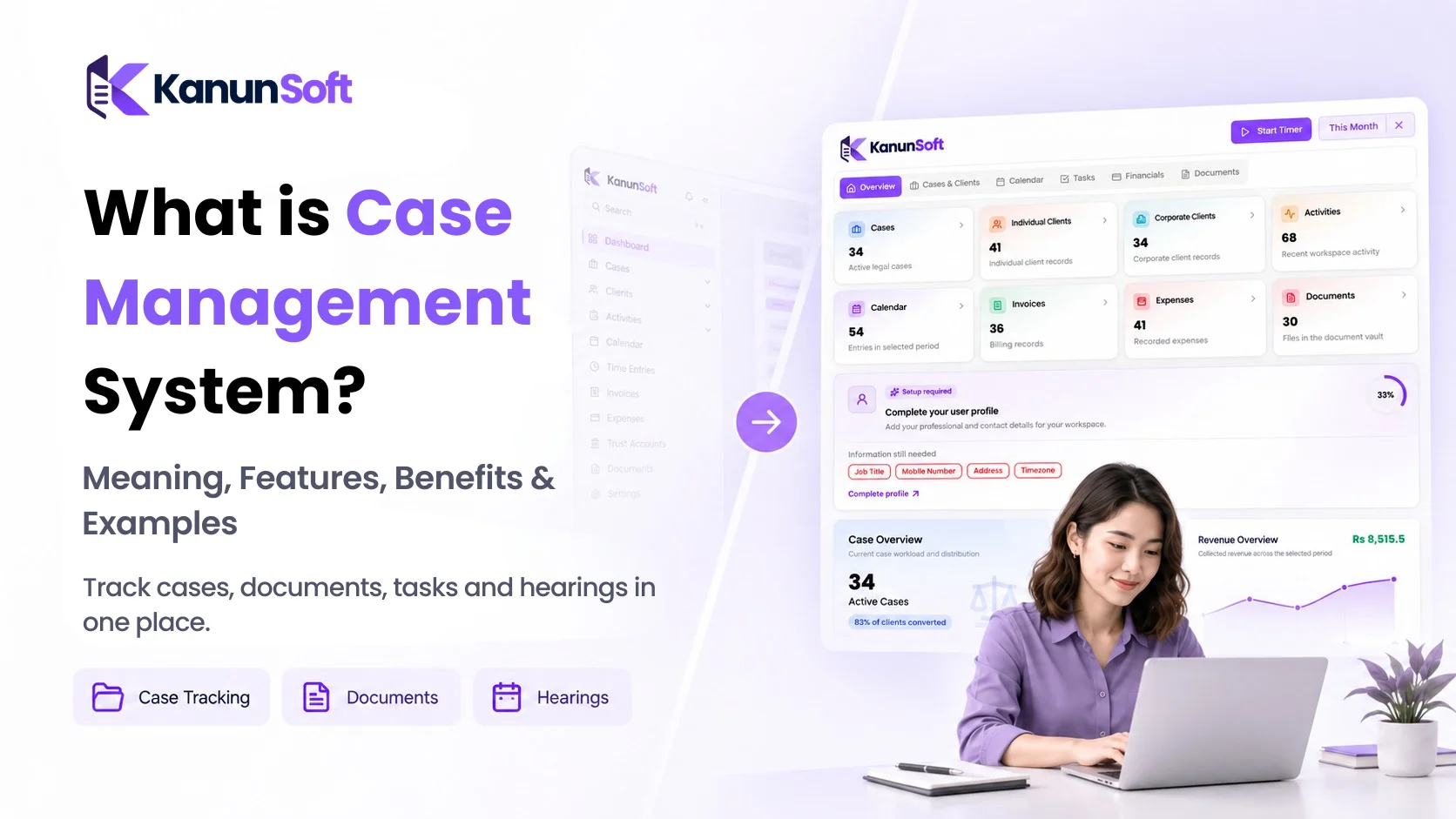
What Is a Case Management System?
 SEO Specialist
A customer complaint sits unanswered in an inbox. A contract deadline lives in someone’s calendar. A case file is saved on a shared drive, but nobody knows which version is current. Individually, these problems seem small. Together, they make everyday work harder than it needs to be.
A customer complaint sits unanswered in an inbox. A contract deadline lives in someone’s calendar. A case file is saved on a shared drive, but nobody knows which version is current. Individually, these problems seem small. Together, they make everyday work harder than it needs to be.
A case management system is software that helps an organization collect, organize, assign, track, and resolve cases in one place. A “case” might be a customer issue, a legal matter, an insurance claim, an employee concern, or another piece of work that needs several steps and a clear outcome.
Instead of relying on disconnected emails, spreadsheets, and folders, teams can see the case history, responsible person, next action, documents, and deadlines together. This guide explains how case management works, which features matter, where it is used, and how to choose a system that fits your team.
What Is a Case Management System?
The simplest case management system meaning is a shared workspace for managing an issue from the moment it is reported until it is completed. It stores case records and connects the people, tasks, communications, and evidence needed to move the case forward.
Imagine a customer reports a damaged delivery. The company opens a case, attaches the order details and photographs, assigns it to a support agent, records conversations, and tracks whether a replacement has been sent. Anyone with permission can check the case status without asking the customer to repeat the story.
Case management software is useful when work cannot be completed with a single checkbox. Cases often require decisions, handoffs, follow-ups, and a documented resolution.
How Does a Case Management System Work?
Most systems follow a case management workflow, although the exact steps vary by industry and the complexity of the issue.
1. Case Intake and Registration
A case begins when someone submits a request, files a complaint, reports an incident, or opens a new matter. Staff record key details such as the case type, contact information, description, date, attachments, and a unique case ID. Some platforms can create cases from forms, emails, or connected systems.
2. Case Assessment, Prioritization and Assignment
The team reviews the case, decides how urgent it is, and assigns an owner. A routine billing question may go to customer support, while a privacy complaint may need a specialist. Rules can help route cases automatically, but unusual or sensitive matters still benefit from human judgment.
3. Case Tracking, Investigation and Follow-Up
As work progresses, the case record captures tasks, notes, documents, messages, and changes in status. Reminders highlight upcoming deadlines. If a case is blocked, a manager can see what is missing and escalate it rather than discovering the delay after a deadline has passed.
4. Case Resolution, Documentation and Closure
Once the issue is resolved, the team records the outcome and closes the case. A useful system preserves the timeline and supporting documents for later reference, quality checks, or compliance reviews. Some cases may be reopened when new information appears.
What Are the Key Features of Case Management Software?
The best case management tools do more than store a list of cases. They make the next action clear and help teams work without losing important context.
Centralized Case Records and Document Management
Each case should have one reliable record containing its description, owner, documents, notes, and history. Document management features such as version tracking and searchable attachments reduce the risk of working from outdated files.
Task Assignment and Workflow Automation
Tasks can be assigned to individuals or teams, with due dates and defined responsibilities. Workflow automation can create follow-up tasks, send reminders, or route a case for approval. Automating predictable steps saves time, while leaving room for professional decisions.
Case Status Tracking and Automated Notifications
Statuses such as New, In Review, Waiting for Information, and Resolved make progress visible. Notifications help teams act when deadlines approach, information arrives, or a case changes hands. Too many alerts, however, can become noise, so they should be configurable.
Team Collaboration and Communication History
A complete communication history helps colleagues understand what has already been discussed. Internal notes, mentions, and activity logs support smoother handoffs and reduce repeated questions.
Reporting, Analytics and Performance Tracking
Dashboards can show open cases, overdue tasks, resolution times, case volume, and workload by team member. These measures help managers identify bottlenecks. The right metrics depend on the context: speed matters in customer support, while quality and procedural accuracy may matter more in legal or healthcare settings.
Data Security, User Permissions and Audit Trails
Not everyone should see every case. Look for role-based access, authentication options, encryption, backups, and an audit trail that records important changes. For confidential legal, HR, and health records, ask vendors how data is stored, retained, exported, and deleted. A software feature alone does not guarantee regulatory compliance.
What Are the Different Types of Case Management Systems?
Customer Service Case Management
Customer service teams use case tracking to manage complaints, refunds, technical problems, and service requests across email, chat, phone, and other channels. Some CRM platforms include these functions.
Legal Case Management
Legal case management software helps law firms organize matters, client details, documents, hearings, deadlines, and communications. Depending on the product, it may also include time tracking, billing, and client portals. Legal workflows often require more detailed matter histories and stronger confidentiality controls than basic ticket queues.
Healthcare Case Management
Healthcare organizations may use case management to coordinate care plans, referrals, follow-ups, and communication among authorized professionals. Such systems need to be evaluated carefully for privacy, clinical safety, and applicable regulations.
HR and Employee Case Management
HR teams may track employee grievances, policy questions, workplace investigations, and onboarding exceptions. Restricted access and a clear record of decisions are particularly important.
Insurance Claims and Compliance Case Management
Insurers use case workflows to collect claim information, review evidence, assign adjusters, and document decisions. Compliance teams can use similar processes for incidents, investigations, and corrective actions.
Case Management System Example: From Complaint to Resolution
Consider a small online retailer. A customer reports that an order arrived with the wrong item. Here is how the team could handle it:
- Intake: The customer submits a form and receives case ID CS-1042.
- Assignment: The system routes the issue to an available support agent.
- Investigation: The agent checks the order, requests a photo, and records the customer’s reply.
- Action: The warehouse approves a replacement and adds a shipment reference.
- Resolution: The agent confirms delivery, documents the outcome, and closes the case.
A manager can see whether CS-1042 is waiting on the customer, the warehouse, or the support agent. That visibility is the real value of case lifecycle management: the work has a clear owner and a traceable history.
What Are the Benefits of a Case Management System?
Resolve Cases Faster and Reduce Delays
When people can find the latest information quickly, they spend less time searching and more time solving the problem. Clear ownership and deadline reminders also reduce cases that fall between teams. Results depend on good processes and consistent use.
Reduce Manual Work Through Automation
Automatic assignment, recurring tasks, status updates, and reminders reduce repetitive administration. Teams can focus on conversations, investigation, and decisions that require attention.
Improve Team Collaboration and Accountability
A shared case timeline shows who is responsible for the next step. If someone is absent, another authorized colleague can continue the work without rebuilding the case history from scratch.
Maintain Accurate Records and Better Visibility
Keeping documents, communication, and decisions together creates a more dependable record. Managers can identify overdue work and teams can explain how a decision was reached.
Improve Customer Service and Decision-Making
Customers and clients benefit from clearer updates and fewer repeated requests for information. Over time, reporting can reveal recurring problems and help organizations improve their processes, not just close individual cases.
Case Management System vs CRM vs Ticketing System
| System | Main focus | Common use |
| Case management system | Multi-step case lifecycle and resolution | Legal matters, claims, investigations, complex requests |
| CRM software | Customer relationships and interaction history | Sales pipelines, accounts, customer engagement |
| Ticketing system | Intake and handling of support requests | Help desks, IT incidents, service queues |
These categories overlap. A CRM may include case management, and a ticketing platform may support complex workflows. The practical question is whether the software can handle your case types, documents, decisions, permissions, and deadlines—not what the vendor calls it.
How Do You Choose the Right Case Management Software?
Identify Your Case Management Needs
List the kinds of cases you handle, the people involved, and the steps required to close them. Identify non-negotiables such as deadline tracking, document templates, client access, or approvals. Test the software using a realistic case rather than a polished demo alone.
Check Automation, Integration and Reporting Capabilities
Ask whether the system connects with your email, calendar, document storage, accounting software, or CRM. Check which tasks can be automated and whether reports show the metrics your team actually uses.
Review Security, Scalability and Ease of Use
Confirm access controls, audit logs, backup and recovery arrangements, export options, and data residency needs. Try the everyday workflows with the people who will use them. A powerful platform is not useful if simple tasks take too many clicks.
Compare Pricing, Support and Implementation Requirements
Look beyond the subscription fee. Consider setup, training, migration, integrations, storage, support, and future user growth. Ask how data can be exported if you decide to change providers.
A practical shortlist should answer five questions: Can it handle our real workflow? Will the team use it? Can we protect sensitive information? Does it integrate with our tools? What will it cost to operate over time?
A good case management system makes it easier to answer four everyday questions: What happened? Who owns the next step? What is due? And what does a successful resolution look like? By bringing records, tasks, communication, and reporting together, it helps teams manage complex work with less confusion. Start by mapping one real case from intake to closure. Use that workflow to compare software options and request a demo that reflects your needs. For law firms, pay particular attention to matter management, confidentiality, documents, and court-related deadlines.
Frequently Asked Questions
What Is a Case Management System Used For?
A case management system is used to organize, assign, track, and resolve work that involves multiple steps, people, or documents. Common uses include customer complaints, legal matters, insurance claims, employee issues, and compliance investigations.
Who Uses Case Management Software?
Customer support agents, law firms, healthcare coordinators, HR teams, insurers, compliance officers, and public service organizations use case management software. The workflows and security requirements vary by industry.
Is Case Management Software the Same as CRM?
No. CRM primarily manages customer relationships and interactions, while case management focuses on progressing a particular issue or matter to an outcome. Many CRM platforms include case management capabilities.
What Is the Difference Between Case Management and Ticketing Software?
Ticketing software usually focuses on receiving, assigning, and resolving requests. Case management is often better suited to work requiring more documents, decisions, collaboration, and a flexible sequence of steps. Modern platforms may combine both.
Can a Case Management System Automate Workflows?
Yes. Many systems can automate assignments, reminders, notifications, escalations, and routine status changes. The available automation depends on the product and configuration, and important decisions may still require human review.
Is Case Management Software Suitable for Small Businesses?
Yes, when a small team handles enough ongoing cases to benefit from shared records and clear ownership. Start with essential features and avoid paying for complexity you do not need.
What Is the Difference Between Case Management and Project Management?
Project management organizes planned work toward a defined deliverable, while case management tracks individual matters that may follow different paths depending on new information. Some organizations need both.